
July 2026 Product Updates

.avif)


Thanx and Square Direct to POS Ordering
Thanx now integrates directly with Square POS — adding to existing direct integrations with Toast and middleware partnerships with Deliverect, Onosys, and Olo. Thanx has tripled its ordering integration footprint in 2026, giving restaurants more choice in how they build their digital stack.
Restaurants on Square can run ordering with Thanx directly against your POS — managing menu pricing, imagery, item availability, handoff modes, store hours, and operational config in a single source of truth. Available for merchants running Square as their POS.
- Simplify menu and offer management: pricing, imagery, availability, handoff modes, and store hours all live in Square — one source of truth for your menu.
- Reduce tech stack complexity and vendor costs: Maintain or upgrade your ordering experience without adding systems.
- One payment processor with Square Payments: No need to separate payment processors for in-store and online. Square payments is supported for both.
Richer push notifications with expandable messages, deep linking and image support
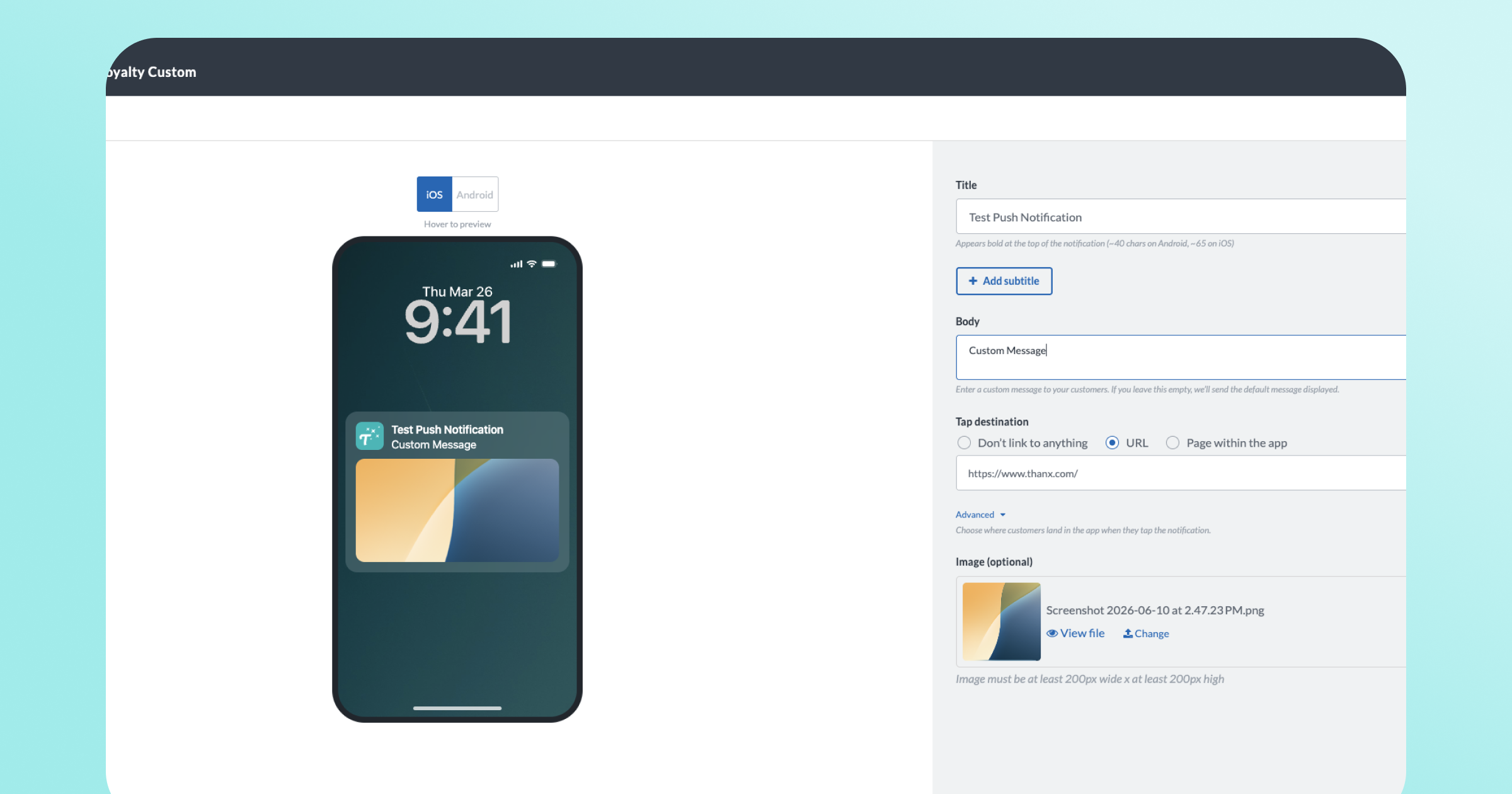
Push notifications just got a major upgrade. Clean, modern notifications with clear messaging for guests — no more truncated text cutting off offer details or one flat block of text. The campaign builder for push notifications includes separate Title, Subtitle, and Body fields, optional image upload, as well as a live preview that shows exactly how your notification will appear before you send.
Visually, title and body text are now formatted distinctly, and rich images render inline. Notifications are also expandable on both platforms — guests can long-press (iOS) or tap-to-expand (Android) to see the full message.
- Your full message, every time. Notifications now expand on iOS and Android, so customers always see the complete offer, reward, or update you wrote — not a clipped version.
- No more dashboard guessing. Character limits in the builder now match what iOS and Android actually display. What you preview is what your guests receive.
- Richer campaign notifications. Add a title, subtitle, and promotional image to your campaign push notifications, giving them the same visual quality as other modern marketing channels.
- Send guests to the right place. Add a deep-link URL to campaign notifications so customers land directly on the relevant page in your app when they tap.
- Consistent across all notifications. All notifications (reward earned, expiring rewards, and more) now render correctly on modern devices.
Manage spend minimums and discount caps in reward templates
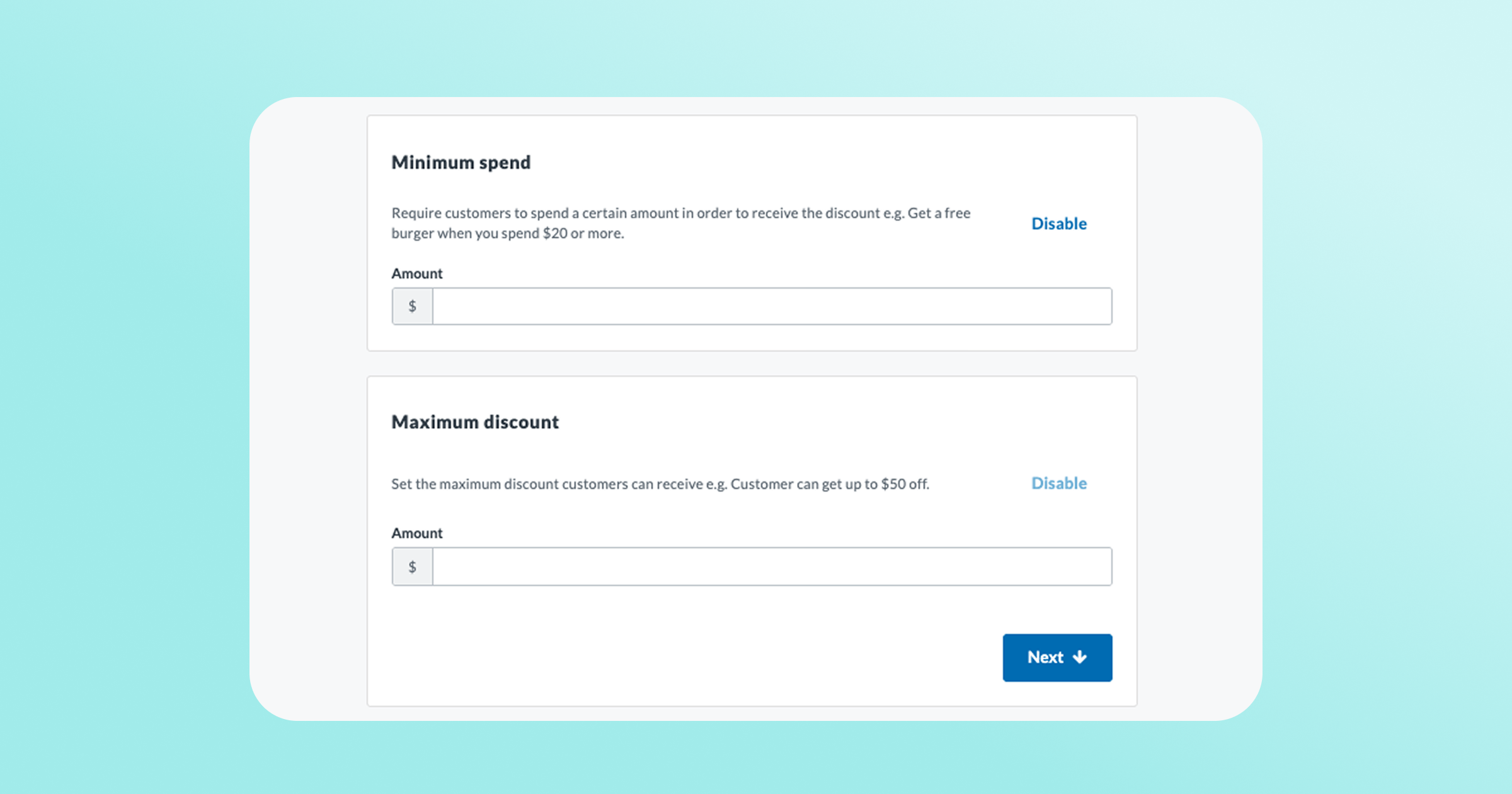
Previously, minimum spend and maximum discount were reward restrictions that a brand could configure at the campaign level. Now a brand can manage both directly in the reward template. Every campaign, loyalty exchange, and granted reward built on that template inherits the same restrictions automatically, so the limits a brand sets on an offer hold everywhere it's used.
- Set it once, apply it everywhere. Template-level values inherit automatically to every campaign, loyalty exchange, and granted reward built on that template.
- Less to manage. No more updating the same restriction in multiple places and hoping they stay in sync.
- Works with campaigns you already run. When a brand builds or edits a campaign using a reward template with restrictions, the campaign's restriction fields pre-populate with the template's values automatically.
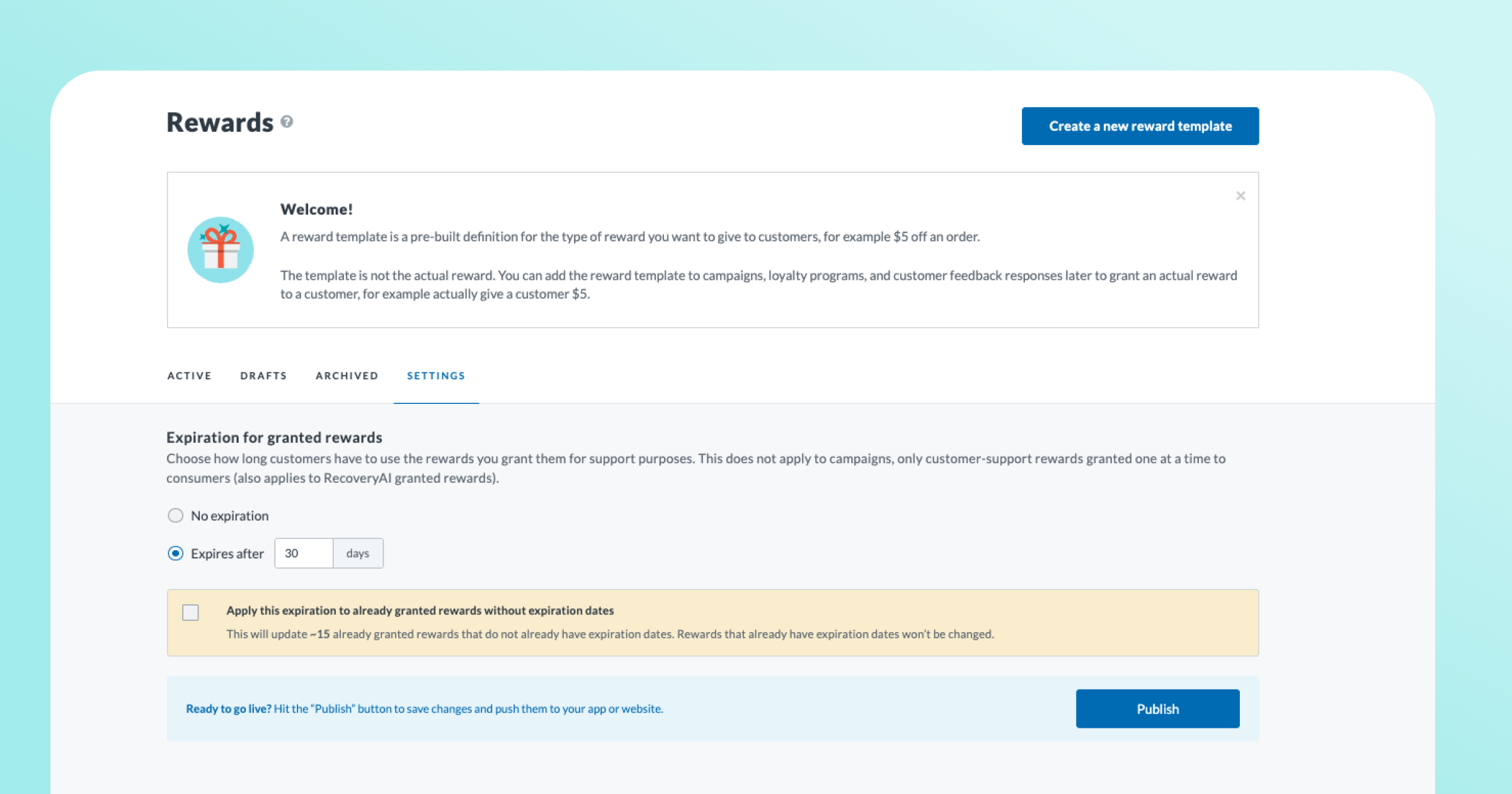
Set an expiration on the rewards granted to guests
Granted rewards — the ones issued straight to a guest, typically through Customer Support (and soon, RecoveryAI)— used to have no expiration configuration in the dashboard. Now brands can set a single expiration window (in days) that applies to every granted reward, including ones already issued. Available now for all merchants with granted rewards enabled.
- Eliminate accumulated liability. Granted rewards issued without an expiration never go away. Setting an expiration window lets brands retire a backlog of perpetual rewards and prevent new ones from piling up. Giving immediate, material financial relief.
- See the impact before anything changes. Dashboard shows exactly how many rewards and guests will be affected — nothing changes until brands say so.
- Retroactive application of the expiration date is opt-in, not automatic. Decide whether to apply the new expiration date to rewards that have already been granted.
- Covers every granted reward, automatically. This will also apply to RecoveryAI-issued rewards, not just manual grants — one setting, no gaps.
- Self-service. Configure in the dashboard — no need to file a support request.
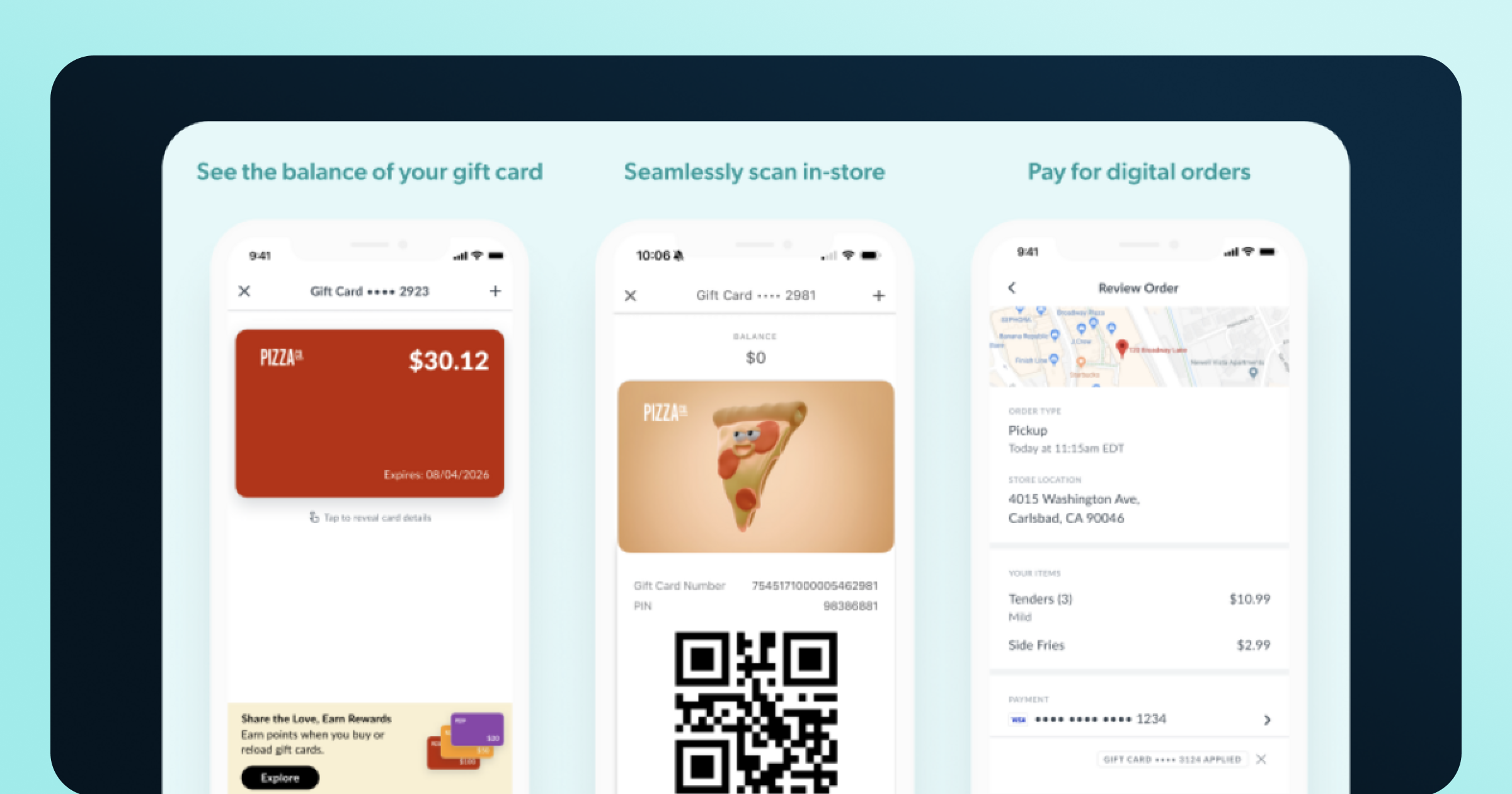
Olo gift card support: store, track and apply from your app
The complete gift card experience is now available in Thanx-powered apps and web ordering for brands on Olo. Guests add a card once and Thanx stores it, shows the balance, and automatically applies it at checkout. No more re-entering card details on every order. A dedicated Gift Cards section gives guests one place to see all their saved cards.
Thanx supports all gift card providers that Olo supports including Givex, Heartland, ItsOnMe, NCR, Paytronix, SVS, Valutec, ValueLink, VantivCore, eCard, and Worldpay.
- No more re-entering card details — Previously, guests had to key in their gift card on every single order. Now they add it once and it's saved and auto-applied going forward.
- Balance visibility they'll appreciate — The Gift Cards section shows each card's balance at a glance. When the cart is empty, the balance also surfaces in the top-right corner of the app as a gentle nudge to order.
- Your brand, your look — Upload custom card art and a promotional image that points guests to a gift card purchase page or gifting options.
- Multiple cards, one checkout — Guests can save several cards and apply up to 3 to a single order. Handy for guests carrying balances across cards.
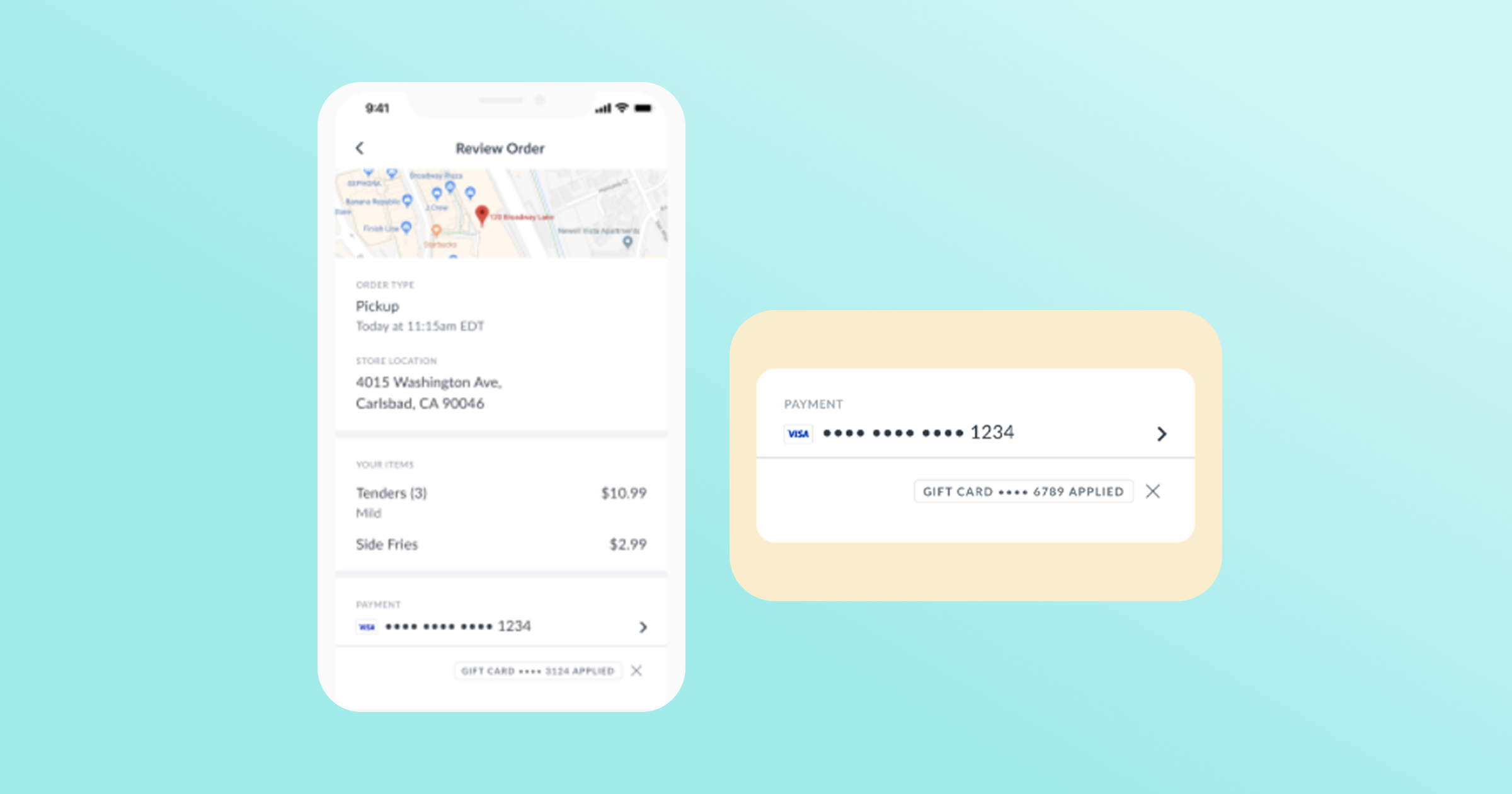
Earning points on orders made with a gift card
Previously, points earned on digital orders made with a gift card were inconsistent. Split payments earned points only on the credit-card portion, and multiple gift cards earned points only on the first card. That's no longer the case. When a guest checks out using a gift card, whether it's a single card, multiple cards, or a split between a gift card and a credit card, they earn points on the full digital order total.
For in-store orders via check-in model, guests earn loyalty points on the full order total paid by a gift card. For brands on the card-linked model, this remains unchanged. Guests do not earn points on any in-store orders paid by a gift card via the card-linked model.
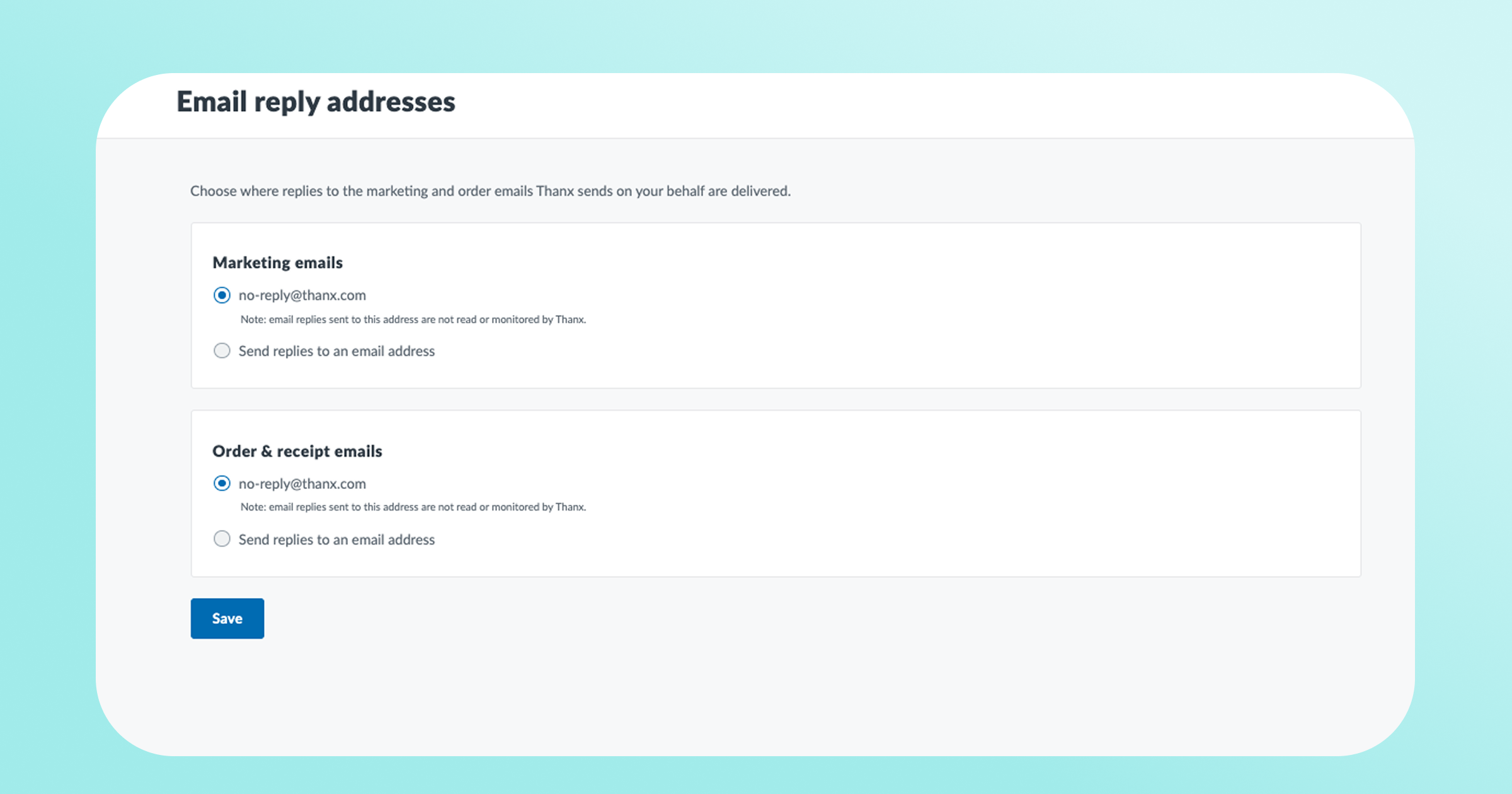
Customize the reply-to address of marketing and transactional emails
Brands can now configure the reply-to address on Thanx emails (or marketing and order/receipt emails) right from the dashboard settings. Brands can set the address they would like guest replies to land in like a marketing inbox, routed to a support team, or wherever guest conversations belong. Set one reply-to for marketing emails and another for transactional emails, so each kind of reply reaches the right team. The default setting goes to no-reply@thanx.com which is not a monitored inbox.
- Hear directly from your guests. When a guest replies to an email, i.e. a question, a compliment, feedback on a recent visit, it lands in an inbox a brand controls, so the appropriate team can respond and build the relationship.
- Route the right replies to the right team. Use separate reply-to addresses for marketing and transactional emails so each type of message reaches the people best equipped to handle it.
Kea Integration Update: Reward Redemption
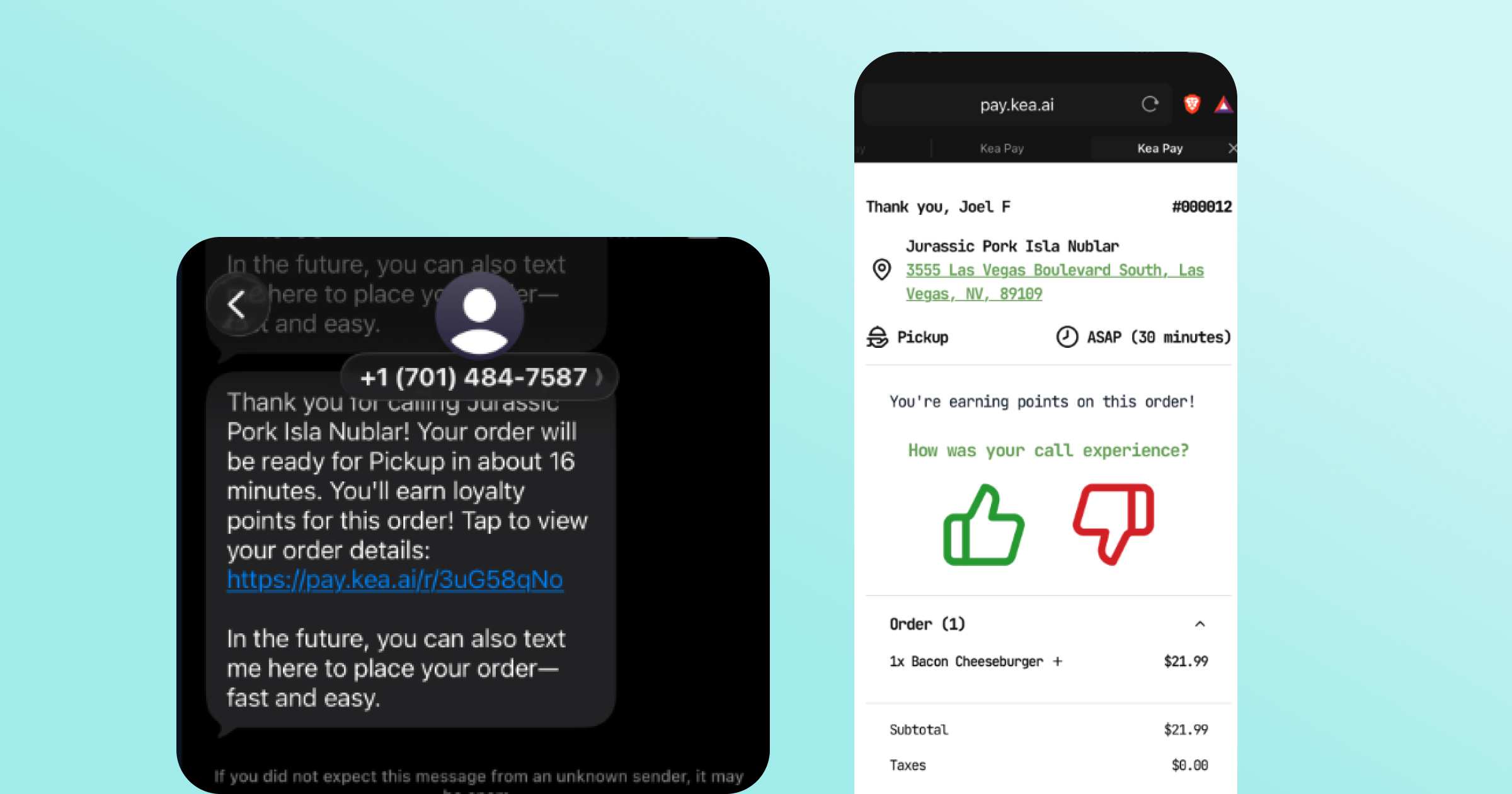
Our Kea integration allows guests placing a phone order to opt in to a brand's loyalty program via a post-call SMS payment link. Points accrue automatically as the order moves through fulfillment. Brands using Kea's Voice AI for phone ordering can now let guests redeem rewards and exchange points during the call — the discount is applied before the order is submitted, and points still accrue on net spend. This extends our Kea integration beyond enrollment and points accrual.
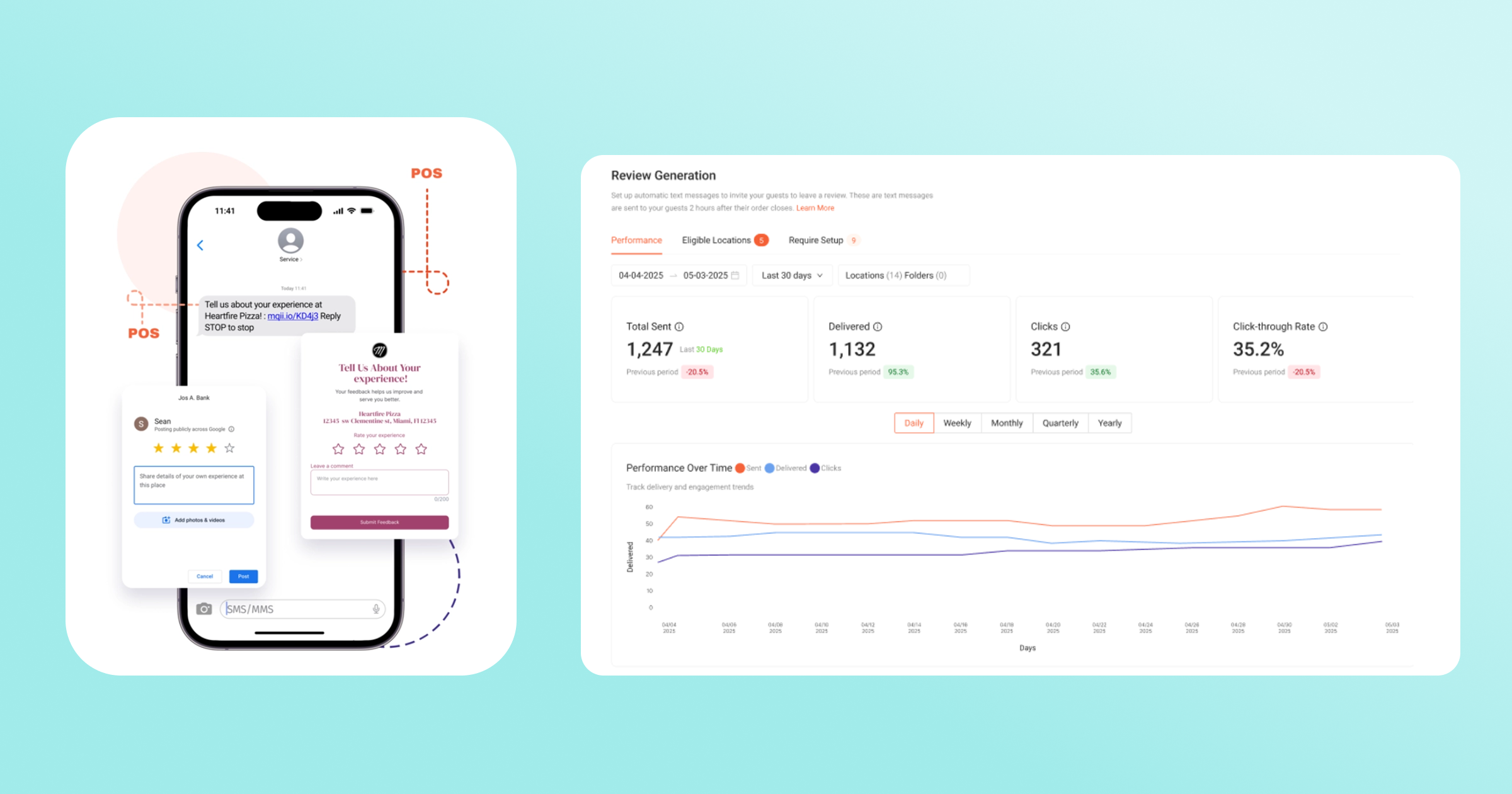
Marqii Integration: Automatically invite guests to leave a review after every order
Marqii Review Generation sends an SMS to guests shortly after their order closes, inviting them to leave a public review (Google, Facebook, or TripAdvisor) — whichever destination you choose.
With our integration, when a guest completes a transaction via our direct POS integrations or online, Thanx will pass that signal to Marqii, which invites the guest by SMS to leave a public review. One guest, one invite, fully automated for brands.
- Turn transactions into reviews, automatically — Guests get invited to leave feedback right after their visit, digital and in-store, while the experience is still fresh, instead of relying on them to leave one unprompted. Once a location is eligible and turned on, invites go out on their own about 2 hours after each order closes.
- You choose where reviews go — Send guests to Google, Facebook, TripAdvisor, or a private first-party form, set per location.
- Control how often guests hear from you — Set a cooldown (once a day, week, month, or ever) so the same guest isn't pinged after every visit.
- Help increase digital marketing presence — Public reviews aren't just guest feedback anymore. They're a discovery signal. Search engines read fresh, consistent reviews as a sign a business is active and worth surfacing, and that signal now extends to AI search.
.png)
.png)
.avif)
.avif)